
It started one day with slow performance, so bad it was like digitally trudging through a sea of knee-deep molasses. I was working with a client on her blog, Berry Plays Games, as we were migrating dozens of her articles from another site. Every time we tried to save, an error popped up here, or a time-out there. I was started to get paranoid, obsessively exporting XML files every time we successfully got a few posts ready to go. Something was really wrong.
After two straight days of this I started to worry and began testing a few of the other sites I manage. Sure enough, the issue was popping up everywhere. Time to check under the hood.
One of the (many) things I love about my web host, Dreamhost, is that they give you the hard data up front. It didn’t take me long to identify the issue – my server memory was being absolutely cannibalized, regularly exceeding 100% of my allotment. For a moment I toyed around with moving to a new host but thought maybe I should dig deeper. So deeper I went.
What I found was my jewelry shop had seen a spike in traffic in the realm of thousands of percent higher than usual. As much as I’d love to say my handiwork was bringing all the customers to the yard, I knew better. This had to be bot traffic. A quick chat to support later confirmed my worst fears. My site was under attack.
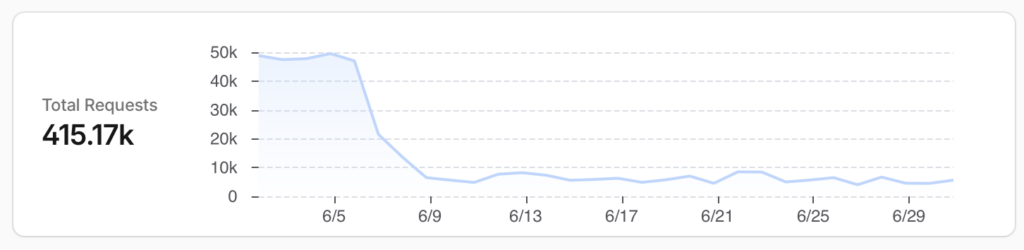
This is a common issue with WooCommerce and other e-commerce platforms. Bad actors will send thousands of bots to try and make faulty transactions, hoping to steal some cash in the process. Thankfully I had some guardrails in place to prevent the worst from happening.
Before I do anything else, when I start a new WordPress site my first action is installing Wordfence Security and Wordfence Login Security. I credit these plugins for protecting my site from the bots actively getting behind the scenes.
That didn’t stop the overload from the sheer numbers so I had more work to do. Some research was done and I ended up using Cloudflare to filter the traffic and toggled on the “Active Bot Attack” protocol – I got to hit the big red button. Or more like I had to. Once the site was under Cloudflare’s protection and loading normally I was able to go into the backend and scour my database for any potential malicious entries. I was thankful to find nothing out of the ordinary, but ran a few scans using Advanced Database Cleaner anyway. Better safe than sorry!
As a small-time web master, it’s easy to think this sort of thing is unlikely to hit. And this isn’t the worst security issue I’ve run into in my many years of being a WordPress admin (Facebook password scan, anyone?) It can absolutely happen to anybody and any website, no matter how big or small. You can bet moving forward any E-commerce site I build will have Cloudflare attached, right after Wordfence, of course.
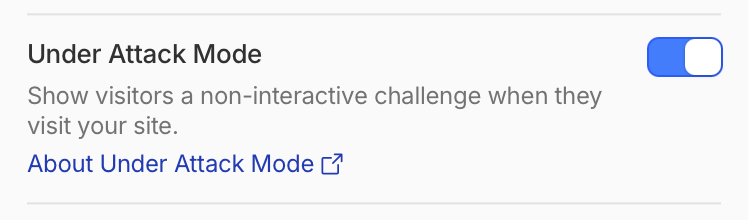
What to do if your site is under attack by bots: Check out Cloudflare’s documentation on I’m Under Attack mode here: https://developers.cloudflare.com/fundamentals/reference/under-attack-mode/
Protect your site from malicious login attempts with Wordfence Security
And don’t forget to keep on top of your database with Advanced Database Cleaner!
